LoginApp: Registration Success Page
Published: October 25, 2025
When a user completes registration, it’s important to let them know everything worked. A simple confirmation screen helps give a smooth end to the sign-up process and guides them toward their next step: logging in.
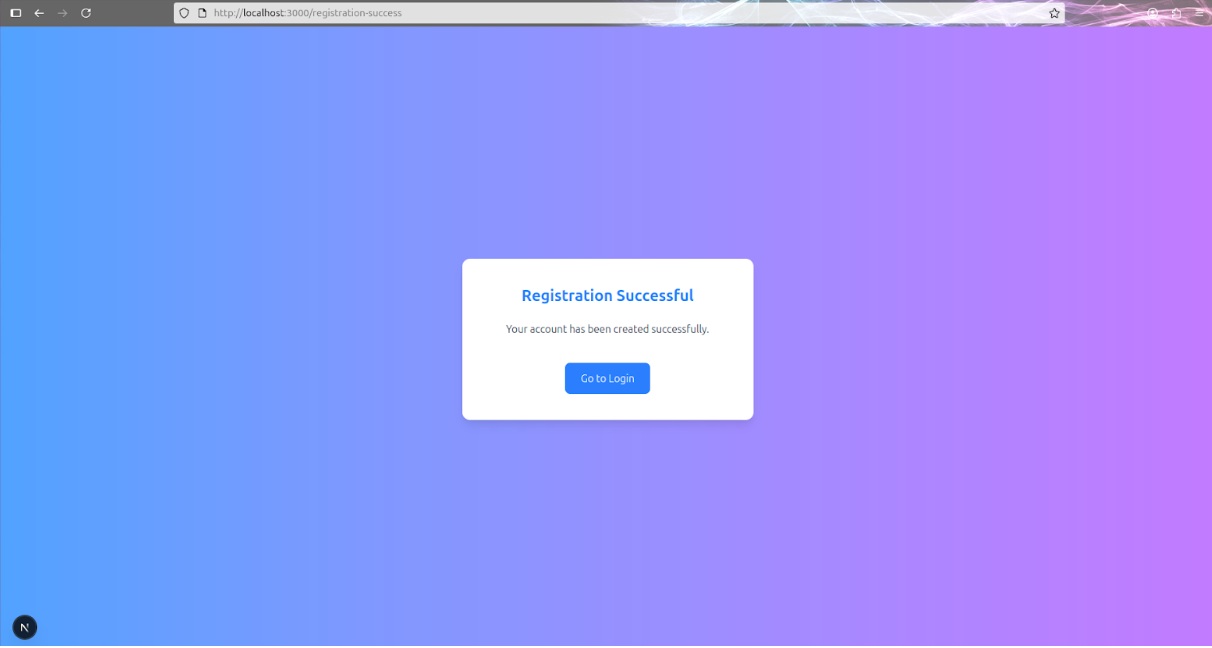
In this update, I created a Registration Successful page and refined it over a few steps to match the rest of the app’s design.
I started with a basic success screen that included a heading, a short message, and a link to return to the login page. The goal was to keep it minimal but clear, just enough to confirm that the account was created and offer a next step. Here's the initial structure I used:
import Link from "next/link";

export default function RegistrationSuccess() {
  return (
    <main>
      <div>
        <h1>Registration Successful</h1>
        <p>Your account has been created successfully.</p>
        <Link href="/login">Go to Login</Link>
      </div>
    </main>
  );
}
Once the basic layout was in place, I centered the content and
added the background. I reused the same layout system I had used
for the login and registration pages (min-h-screen, flex, max-w-md) to keep the experience consistent across the app.
Finally, I styled the heading, message, and login link to match the app’s color palette and spacing. I added a gradient background, rounded card container, and hover transitions to the link.